Step 1. Open Video Files
Click "Open" button to open your video file, support the most popular video format such as AVI, FLV, ASF, MOV, RM, RMVB, WMV, MKV, VOB, MPG, MPEG etc...
Click here to see main interface overview
Video Snapshot Wizard is an easy-to-use utility to capture a still from video. The software provides support for the most popular video format such as AVI, FLV, ASF, MOV, RM, RMVB, WMV, MKV, VOB, MPG, MPEG etc. Except that frame grab ability like others video-frame-capture software, Video Snapshot Wizard can also edit frame images, output captured images as BMP, JPG, GIF graphics, and can even rebuild the frames to create animated GIF image or movie thumbnails.
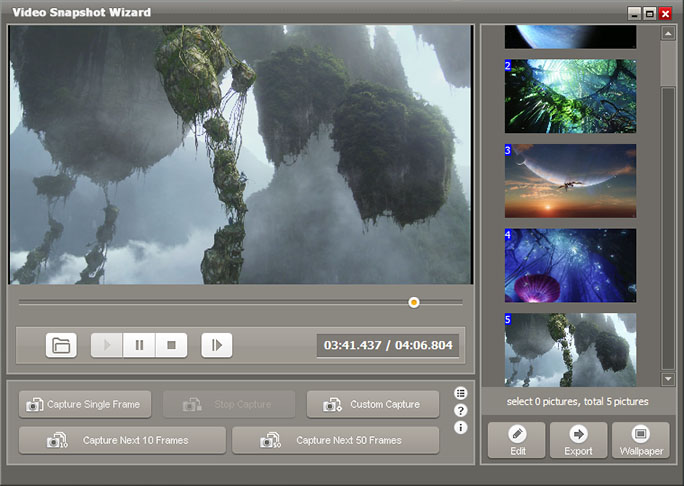
Click "Open" button to open your video file, support the most popular video format such as AVI, FLV, ASF, MOV, RM, RMVB, WMV, MKV, VOB, MPG, MPEG etc...
Click here to see main interface overview
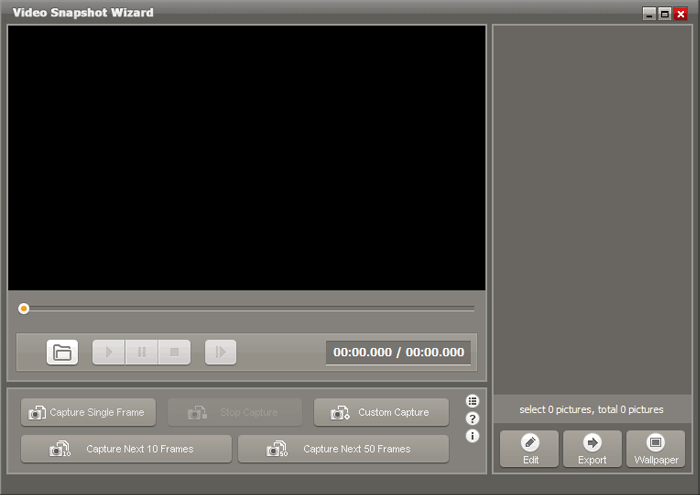
The program support two video screen capture modes:
Snapshot One Frame: Capture only one frame every time you click this button, and then add it to the thumbnails view window.
Snapshot: Capture one frame every specific time, you can change this interval in OPTIONS window.
Build-in easy-to-use image editor can help you edit your captured pictures. You can modified your captured pictures with following edit function:
+ Crop and Resize frame images.
+ Add text watermark or picture watermark.
+ Support batch editing mode.
Click here to learn how to crop and resize the video frame images.

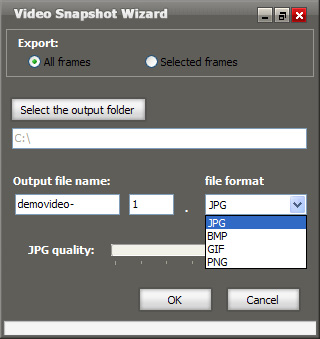
Export your favorite snapshots as BMP/JPG/PNG/GIF images, or turn them into animated GIF avator.
Click here to learn how to convert AVI/MPG/FLV to GIF avator.